What Is a Sandbox Environment: A Complete Guide for Safe Testing and Development
A sandbox environment is a controlled, isolated setting where developers, security experts, and IT teams can test software, applications, or even potentially harmful files without risking the integrity of live systems. Imagine it as a digital playground where experiments can be conducted safely—errors can be made, tested, and fixed without affecting the main operating environment. This concept has become increasingly vital as software grows more complex and cybersecurity threats more sophisticated.
Sandbox environments are crucial not only for developers creating new applications but also for security teams analyzing malware and other suspicious activities. By isolating processes from the main system, sandboxes prevent accidental damage, data loss, and security breaches. For businesses, implementing sandbox environments means faster development cycles, safer experimentation, and reduced operational risks.
In this article, we will explore what sandbox environments are, how they work, their applications in different fields, benefits, limitations, best practices, and real-world examples. Whether you are a software developer, IT professional, or someone curious about technology, this guide will provide you with a comprehensive understanding of why sandbox environments are an essential tool in today’s digital world.
Understanding Sandbox Environments
Definition of a Sandbox Environment
A sandbox environment is essentially a virtual space that mimics the functionality of a real system but operates independently of it. Developers and security professionals use this isolated environment to run tests without the risk of affecting the main production environment. The key advantage lies in its ability to safely evaluate code, test applications, or explore potentially malicious files without fear of real-world consequences. Unlike production environments, which directly impact business operations, sandboxes act as experimental zones.
The sandbox provides complete control over the testing conditions, allowing users to observe how software behaves under different scenarios. For example, developers can install updates, test features, and debug issues without impacting users. Similarly, cybersecurity analysts can run suspicious programs to study malware behavior without compromising sensitive data. This combination of isolation, control, and flexibility makes sandboxes an indispensable tool in modern IT practices.
History and Evolution
The concept of a sandbox environment dates back to early software development, where developers needed a safe space to test programs before full deployment. Initially, testing often involved separate physical machines, which was both costly and inefficient. As virtualization technologies evolved, sandboxes became software-based, allowing multiple isolated environments to run on a single machine.
Over time, sandboxing extended beyond software testing. In cybersecurity, the approach became a vital defense mechanism for malware analysis, threat detection, and secure experimentation. Today, sandbox environments are widely used in cloud computing, virtualized testing setups, and even educational platforms for safe learning and experimentation. Their evolution reflects the growing need for controlled, risk-free environments in an era of complex software and increasing cyber threats.
How Sandbox Environments Work

Core Principles of a Sandbox
The fundamental principle behind a sandbox is isolation. By creating a separate environment that mimics the production system, sandboxes prevent any errors or malicious actions from spilling over into the main system. This isolation ensures that testing is safe, reliable, and predictable.
Another key principle is control. Users can define the parameters of the sandbox environment, such as which resources it can access, which network connections are allowed, and how data is handled. This controlled setting allows for precise testing and analysis, reducing unexpected variables that could affect results.
Types of Sandbox Environments
Sandbox environments come in several forms, each suited to different needs:
- Local Sandboxes: Installed directly on a developer’s machine, these are useful for small-scale testing and rapid experimentation.
- Cloud-Based Sandboxes: Hosted on remote servers, these allow scalable testing across multiple systems without taxing local resources.
- Virtualized Sandboxes: Utilize virtual machines or containers to simulate an entire system, often employed for advanced software testing and cybersecurity analysis.
Technical Components
Sandboxes typically rely on virtual machines, containerization platforms, or emulators. Virtual machines create isolated operating systems on a single physical machine, while containers package applications with their dependencies in a lightweight, portable format. Security layers and monitoring tools are often integrated to track system behavior and log errors, helping users analyze results effectively.
Applications of Sandbox Environments
Software Development and Testing
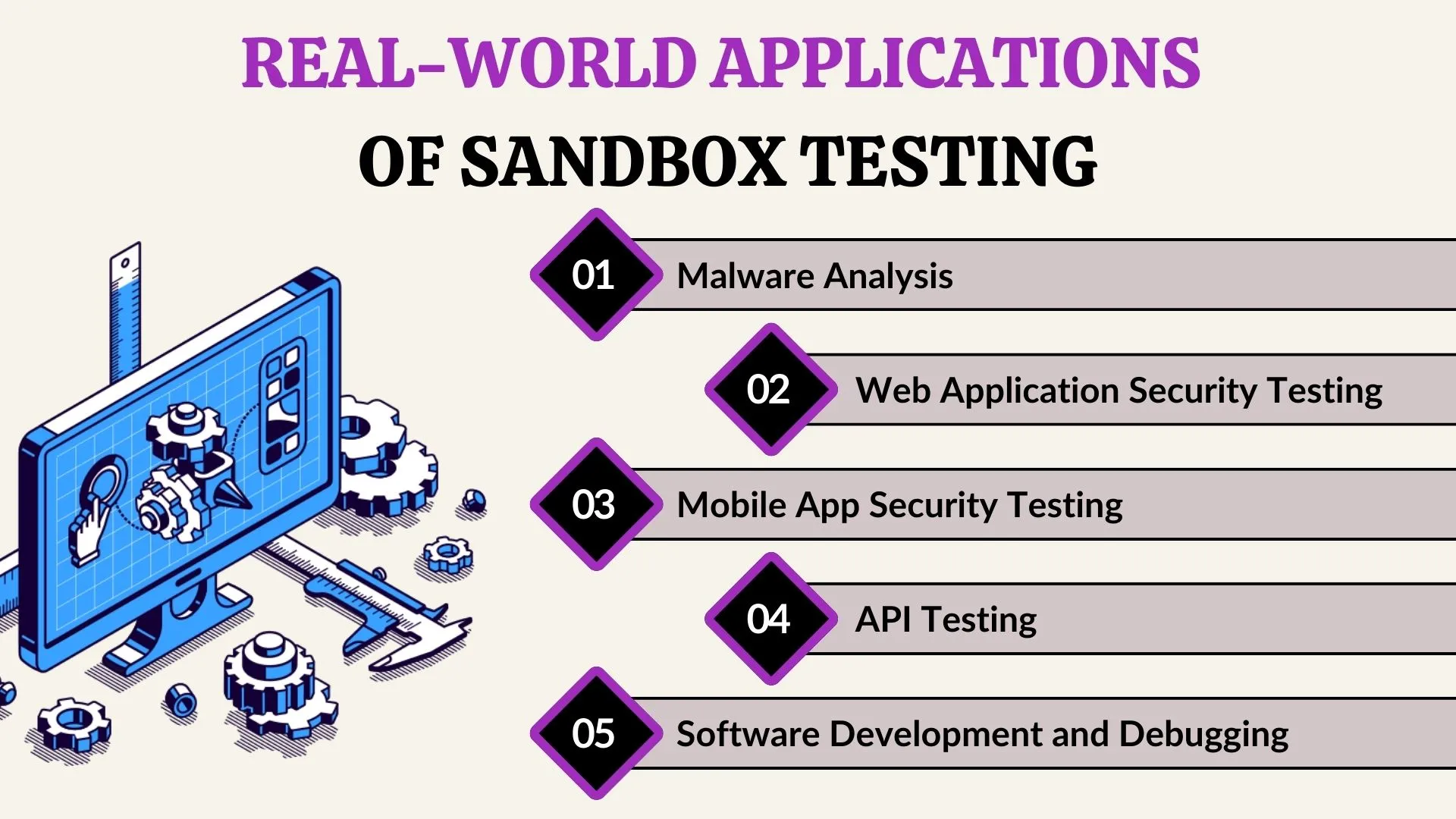
In software development, sandbox environments are invaluable. Developers can test new features, update existing systems, and experiment with different configurations without interrupting live users. Sandboxes also allow for stress testing, debugging, and prototyping, ensuring that applications are robust before deployment.
By isolating testing from production, teams can reduce downtime, prevent data corruption, and identify potential bugs early. This approach accelerates development cycles and improves overall software quality.
Cybersecurity and Threat Analysis
Cybersecurity professionals use sandboxes to analyze malware and other suspicious files safely. A sandbox allows them to observe how a virus behaves, what files it modifies, and how it spreads—all without risking the main system. This capability is critical for threat detection, vulnerability research, and incident response.
Educational and Training Purposes
Sandboxes are also widely used for learning and training. Students and professionals can experiment with programming languages, databases, or network setups in a safe environment. Simulated environments allow hands-on experience without real-world consequences, enhancing learning outcomes and practical skills.
Benefits of Using a Sandbox Environment
Sandbox environments offer numerous advantages. They mitigate risks, allowing testing without fear of data loss or system crashes. Developers and security teams can experiment freely, accelerating problem-solving and innovation. They also provide cost-effective solutions by reducing the need for multiple physical test systems.
Additionally, sandboxes enable flexibility. Different scenarios can be simulated, and various configurations tested, all within a controlled environment. This makes it easier to predict software behavior in production and ensure reliable performance.
Challenges and Limitations
While sandboxes are powerful tools, they have limitations. They may not fully replicate production environments, leading to discrepancies in behavior. Performance can be slower in virtualized sandboxes, and setting up complex environments may require technical expertise. Users must also ensure sandboxes are properly maintained to avoid outdated configurations or overlooked vulnerabilities.
Best Practices for Sandbox Environments
To maximize effectiveness, sandboxes should be properly isolated with restricted access. Regular updates, monitoring, and documentation of tests are essential. Choosing the right type of sandbox—local, cloud-based, or virtualized—depending on the task, ensures optimal performance and reliability.
Real-World Examples
Tech giants like Google and Microsoft use sandboxes for software testing and security. Cybersecurity firms routinely employ sandboxes to analyze ransomware and phishing attacks safely. Even educational platforms, like coding bootcamps, rely on sandbox environments to let students experiment without affecting live systems. These examples illustrate the versatility and critical importance of sandboxes in various industries.
Conclusion
Sandbox environments are essential tools in modern technology, offering a secure, isolated space for testing, development, and cybersecurity. They protect live systems, enable controlled experimentation, and accelerate innovation. Implementing sandboxes ensures safer development practices, effective threat analysis, and better learning experiences. For any professional or organization aiming to innovate safely, understanding and using sandbox environments is a necessity.
FAQs
- What is the difference between a sandbox environment and a production environment?
A sandbox is isolated for testing and experimentation, while a production environment runs live systems accessible to end users. - Can a sandbox environment prevent all cybersecurity threats?
No, it provides a safe testing space but cannot prevent threats outside the sandbox. - How do I set up a sandbox environment for my software project?
You can use virtual machines, containers, or cloud-based solutions depending on your project’s size and requirements. - Are cloud-based sandboxes better than local sandboxes?
Cloud sandboxes are scalable and accessible remotely, while local sandboxes offer faster setup and direct access to hardware resources. - How much does it cost to maintain a sandbox environment?
Costs vary based on setup, scale, and whether it is cloud-based or local. Small local setups can be minimal, while enterprise cloud sandboxes may require subscriptions or dedicated infrastructure.
You may also read: Menu Highlights